


How to backup Profile Folders

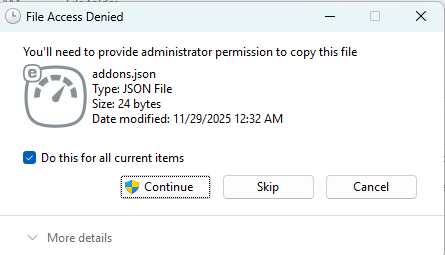
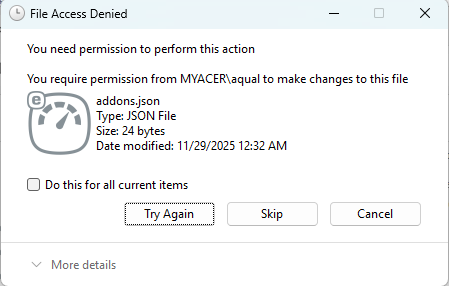
My Profile Folders can't be backed up. Messages I receive while attempting a backup state that permissions are required to backup certain files. I'm working in an administrator account so that shouldn't be an issue and I use to backup my Profile Folders without an issue.
Todas as respostas (3)
Hi there,
It's more of a Windows question. I'd try:
- Running Explorer as administrator
- Using the (elevated) command prompt
- Explicitly setting permissions / changing the owner for the file (be careful)
Also, I hope that Firefox Backup will become available for Windows 11 in the nearest future (several months?)
Denys: It's more of a Windows question. I'd try:
   Running Explorer as administrator
   Using the (elevated) command prompt
   Explicitly setting permissions / changing the owner for the file (be careful)
1, I'm running windows in an administrator account. I don't have an issue copying other files besides Firefox. That tells me it's likely a Firefox issue. 2. Use the elevated command prompt? What is that and how is it accomplished? 3. Set permissions? What permissions and where? And since I used to copy Firefox Profile folders without a problem, why do I have to set permissions? May I ask for an easy method to copy Profile folders. Also, it would be nice if someone offered to help me recover years of important tabs and bookmarks lost due to this issue. When I tried to copy Profile folders recently and had this issue, trying to resolve it messed up my computer to the point that I had to reinstall the operating system.