Can Thunderbird open heic attachments
I occasionally receive HEIC as attachments. Opening the attachment defaults to my Adobe Acrobat which also cannot open HEIC. Is it possible to set the default open to Paint or something in Win11? Thanks.
All Replies (4)

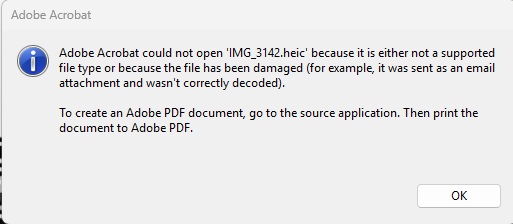
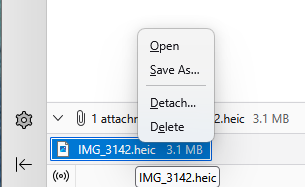
Hello and thank you for this information. However, something must be interfering with the described process even though I have gone into Troubleshooting mode. When I double click on the attachment listed in the Attachments pane, Thunderbird tries to open the HEIC file in Adobe Acrobat which also does not work for HEIC files as I get the message Adobe Acrobat could not open {file name.HEIC} because it is not a supported file type. When I right click the attachment, I get very few options as shown in the uploaded images.
I'm likely not looking in the right place for the solution, thanks for the assist.
At the top right of the Thunderbird window, click the menu button ≡ > Settings > General > Files & Attachments. You need to adjust the desired action for the HEIC content type.
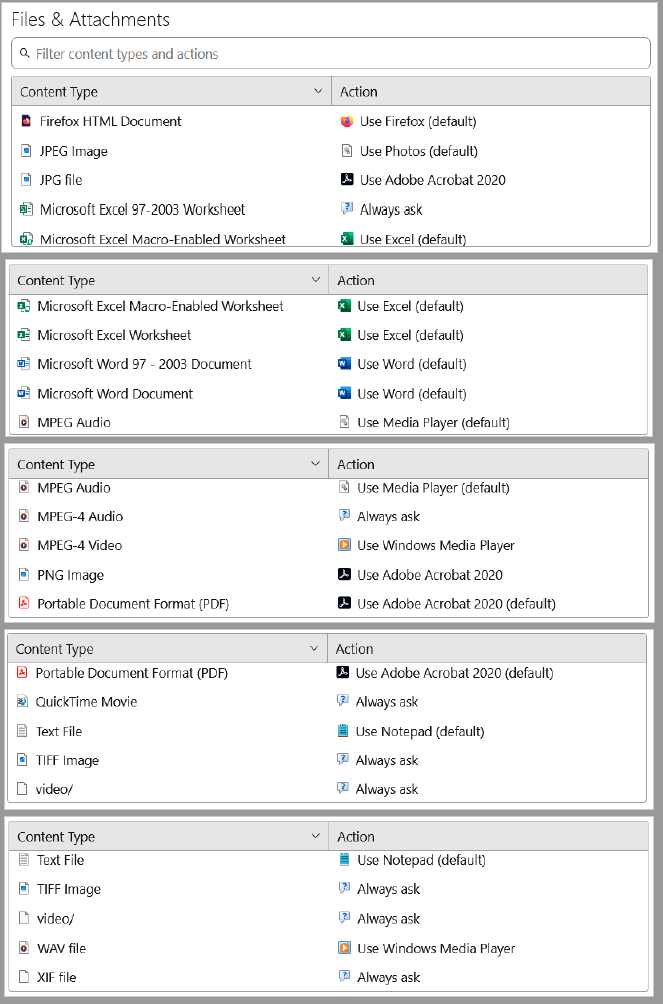
Still having trouble with the settings. I've compiled the total list of Content Types and Actions I see and have pasted below.
1. I don't see HEIC as a content type. Is it known as something else? 2. Can HEIC be added somehow?
Apologies if I'm missing something obvious. . . Thanks again for the help.