Deleted Folder missing

My deleted folder is missing so when I try to delete emails nothing happens. I have one in the Local Folders setup, so I can drag emails to that to remove them, but I don't have one in my "normal" account. How do I restore/create one?
My deleted folder is missing so when I try to delete emails nothing happens.
I have one in the Local Folders setup, so I can drag emails to that to remove them, but I don't have one in my "normal" account.
How do I restore/create one?
All Replies (3)

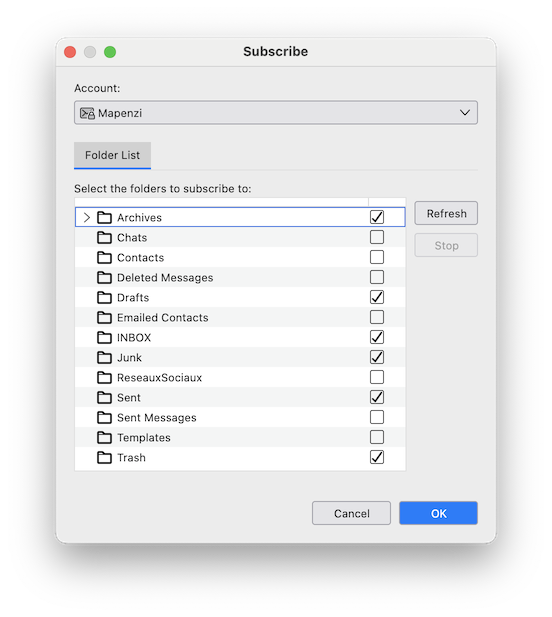
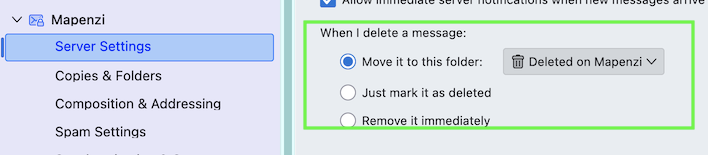
Does this happen in an IMAP account? If yes > R-click on the account name in the folder pane > Subscribe .... This opens the account folder list: search for a Deleted Messages or a Trash folder, set a check-mark and click OK (image) Now a Deleted or Trash folder should appear in the account. Also go to Account settings > accountname > Server Settings > When I delete a message... and verify which destination folder is selected to receive deleted messages (image)