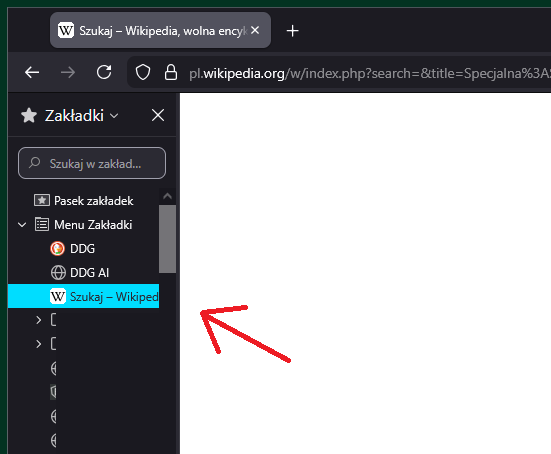
Firefox 146 active bookmark aggressive bookmark color

I have upgraded my Firefox to version 146 and I have a disruptive color of active bookmark in left sidebar. How could I change this color into moderate one - dark grey.
All Replies (9)
Isn't it possible to ad a simple .js file with RGB to overrun this color? Or get the version 145 back?
Izmjenjeno od strane load232
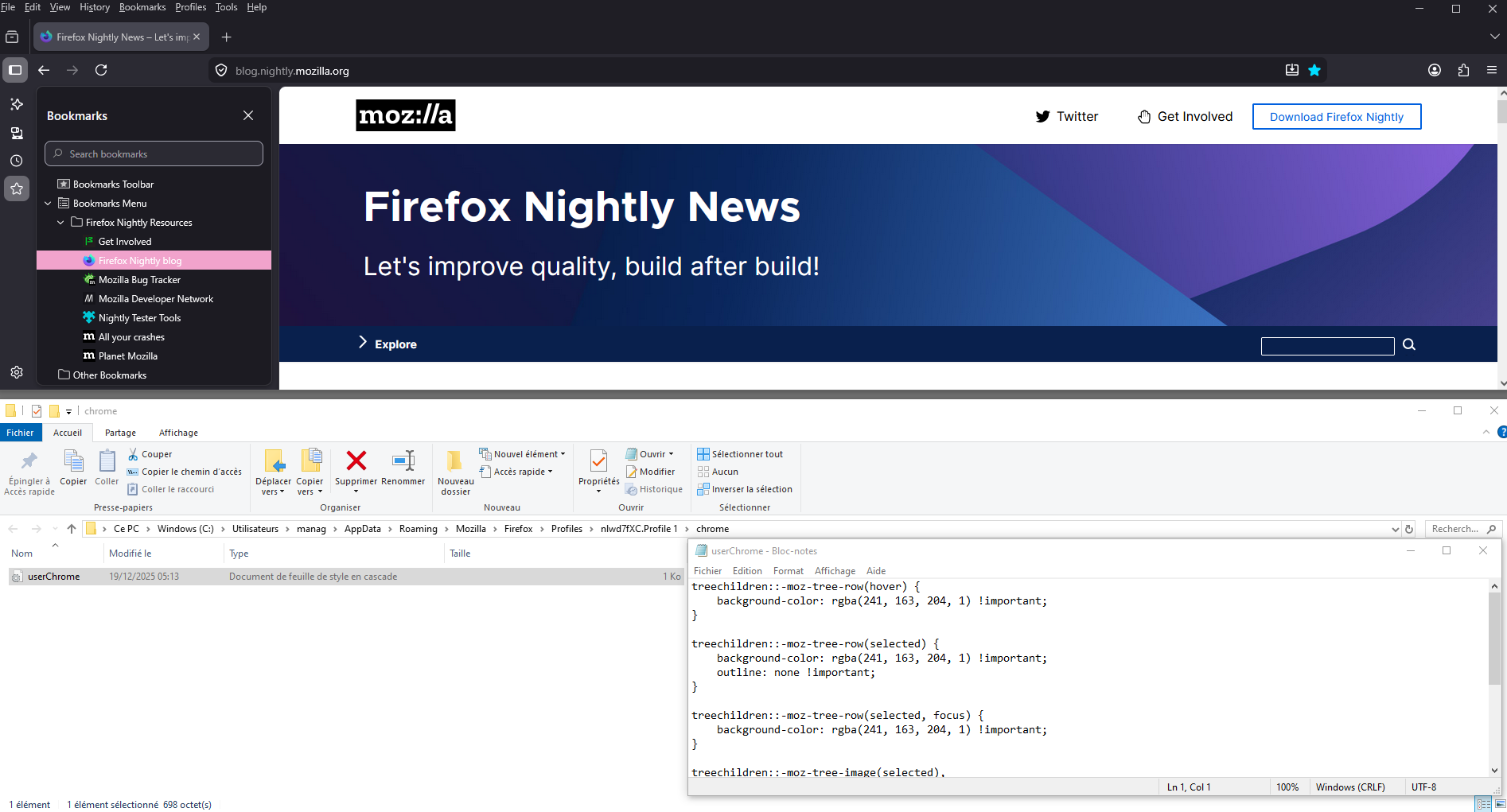
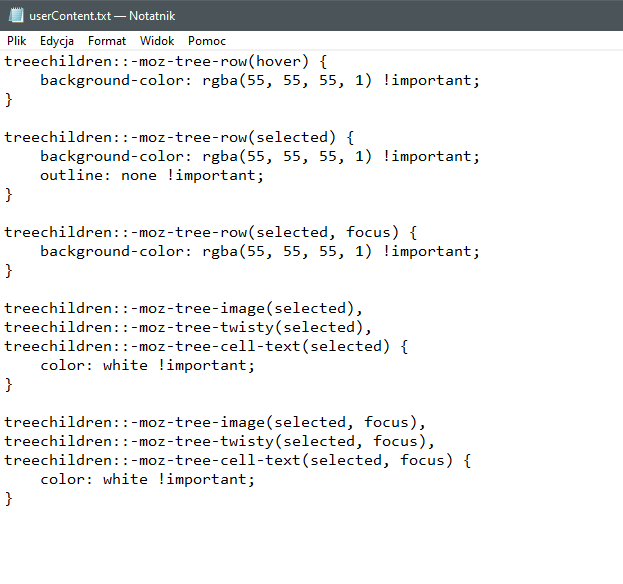
CSS file should be enough. You can find this file here -> https://www.reddit.com/r/FirefoxCSS/comments/1pjbo8l/how_to_get_rid_of_this_blue_highlight_that/
Thanks for the answers!
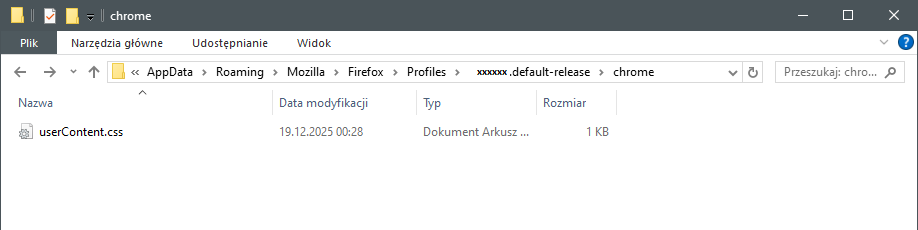
TyDraniu, I was creating and coding web pages many years ago (html times). Could you please tell me where in Firefox folders should I place the code you mentioned in reddit link? AppData -> Roaming -> Mozilla -> Firefox -> Profiles -> xxx.default-release -> chrome -> userContent.css ?
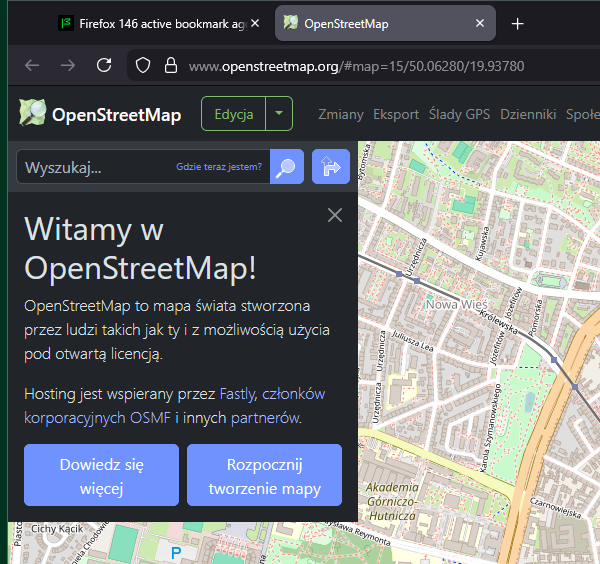
There is another color problem in Firefox 146 that I have not noticed before - even more screaming blue!
(maybe something for another post)
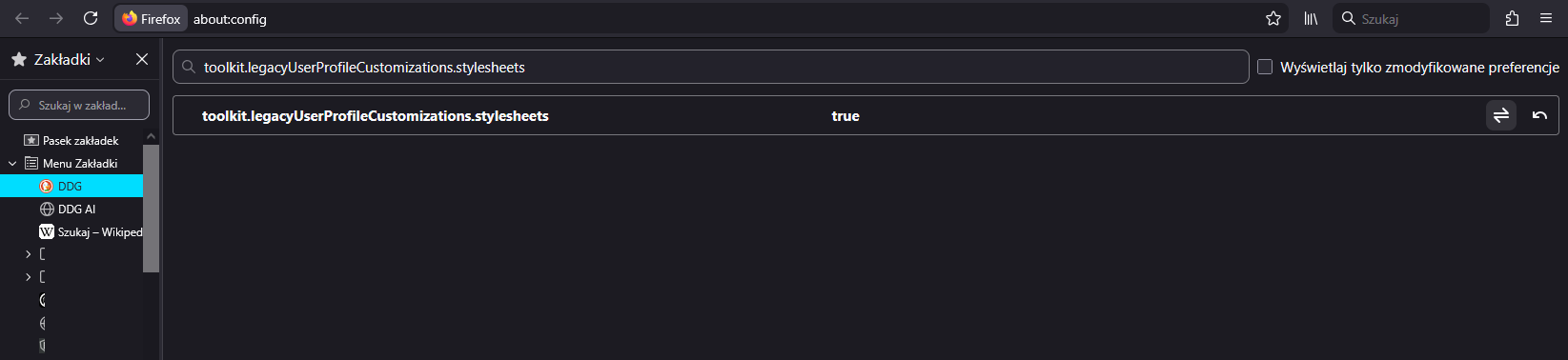
Yes it's there, but you also have to switch toolkit.legacyUserProfileCustomizations.stylesheets to true in about:config.
Must be something more. Maybe my bad somewhere. I have updated to 146.0.1 -> no changes about:config was already switched -> no changes (userContent.txt as on screenshot then changed to userContent.css and put to chrome folder as I specified before)
Izmjenjeno od strane load232