Windows 10 reached EOS (end of support) on October 14, 2025. For more information, see this article.

Search Support

Avoid support scams. We will never ask you to call or text a phone number or share personal information. Please report suspicious activity using the “Report Abuse” option.

Learn More

Archive sub-folders renamed

  • No replies
  • 0 have this problem
  • 18 views
more options

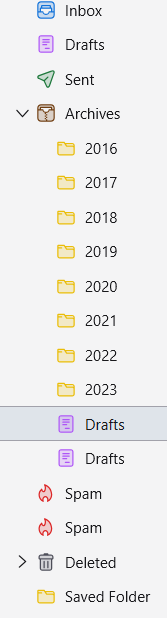
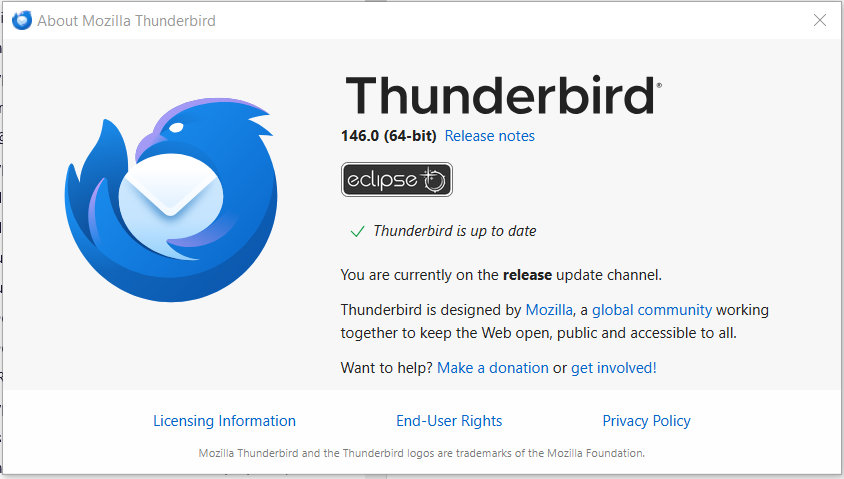
Since the last update to version 146.00, under the folder Archives, both the sub folders for 2024 and 2025 have changed to Drafts and I cannot change them back to show the year folder (2024 & 2025). None of my other yearly Archived sub-folders are affected from 2016 - 2023.

Under Properties, both show their respective year correctly - i.e. imap://wbriggs1%40sky.com@imap.mail.yahoo.com/Archive/2024 and; imap://wbriggs1%40sky.com@imap.mail.yahoo.com/Archive/2025

I attach screenshots showing the issue and any help would be appreciated.

In essence, after trying various ways of trying to sort the above out, it would be helpfull Mozilla if under the Folder Properties box, I could just change the name back from Drafts to the appropriate year. However, in the folder box when selecting the Name line, it won't allow you to alter the folder name. This would seem the simple solution to any alteration of Folders by being allowed to rename them back to the original name.
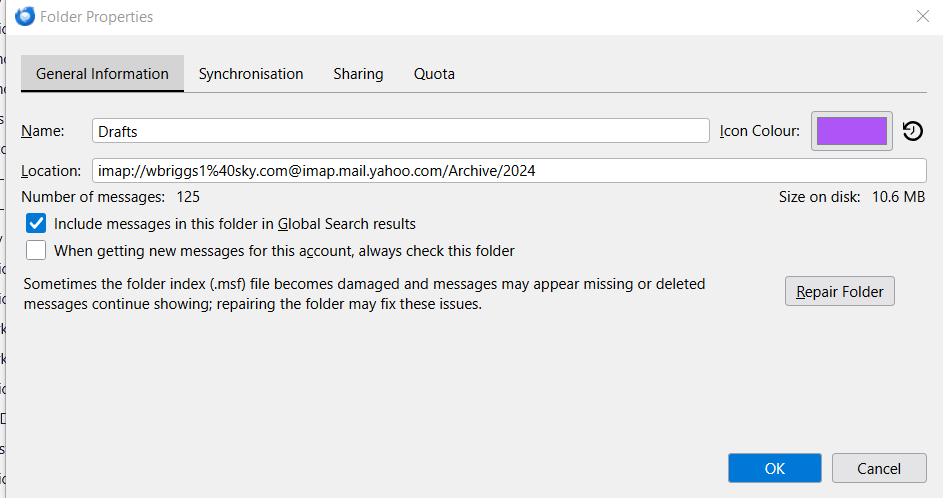
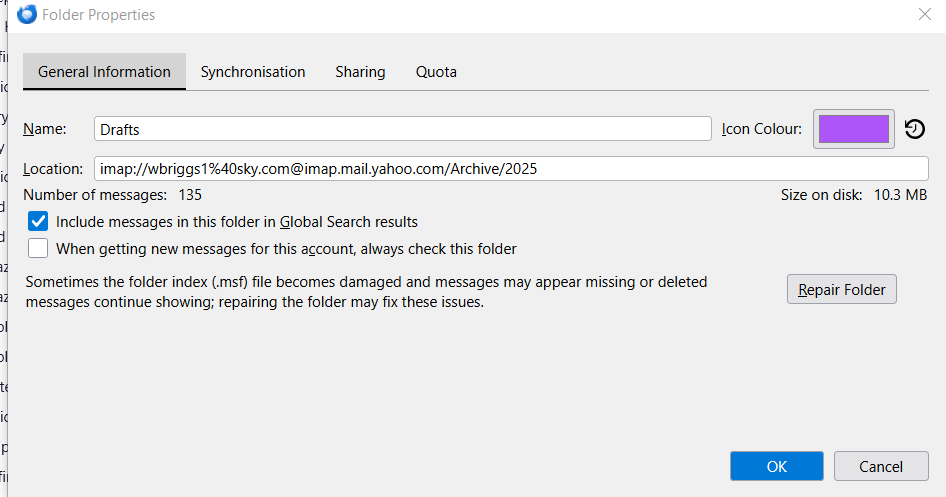
Since the last update to version 146.00, under the folder Archives, both the sub folders for 2024 and 2025 have changed to Drafts and I cannot change them back to show the year folder (2024 & 2025). None of my other yearly Archived sub-folders are affected from 2016 - 2023. Under Properties, both show their respective year correctly - i.e. imap://wbriggs1%40sky.com@imap.mail.yahoo.com/Archive/2024 and; imap://wbriggs1%40sky.com@imap.mail.yahoo.com/Archive/2025 I attach screenshots showing the issue and any help would be appreciated. In essence, after trying various ways of trying to sort the above out, it would be helpfull Mozilla if under the Folder Properties box, I could just change the name back from Drafts to the appropriate year. However, in the folder box when selecting the Name line, it won't allow you to alter the folder name. This would seem the simple solution to any alteration of Folders by being allowed to rename them back to the original name.
Attached screenshots

Modified by William Briggs

You must log in to your account to reply to posts. Please start a new question, if you do not have an account yet.